How to Filter Brands on npbuy
How to Filter Brands on npbuy
How to Filter Brands on npbuy
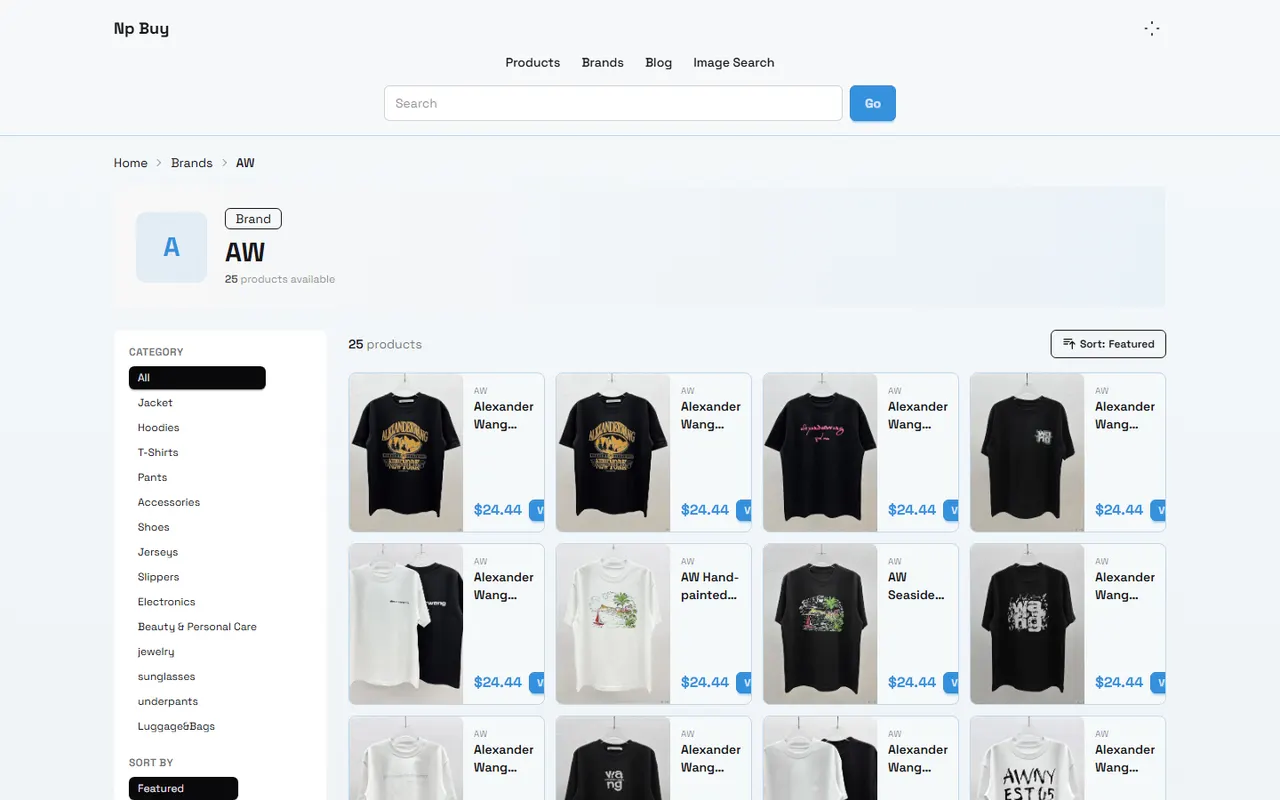
Figure: npbuy brand filtering process overview
If you already know the product category you want, but don't know which brands to check first, the brand page can serve as a starting point for a candidate list. However, the number of brands, category assignments, product inventory, prices, and page entry points can change. You should never make a purchase decision based solely on a brand name or a single product card.
This article is for readers who need to filter Chinese product brands on np-buy.com, organize multiple candidates, and then proceed to verify product details. After reading, you should be able to do three things: define filtering criteria, record page evidence, and determine which brands are worth further investigation.
The article only discusses page-visible information and record-keeping methods that can be reviewed, and does not guarantee the quality, authenticity, authorization relationship, or after-sales outcome of any brand. When page information is insufficient, keep the status as "to be verified". 🔎
First, define the product and usage scenario you need
Before you start looking at brand pages, write down what you want to buy as actionable conditions. At a minimum, record the following:
Product category, such as sneakers, jackets, backpacks, or household items
Usage scenario, such as daily commuting, travel, training, or seasonal use
Required specifications, such as size range, color, material, capacity, or features
Acceptable price range and currency
Whether multiple items need to be purchased together
Destination country and potential shipping, taxes, and import restrictions
Don't start with a goal of finding the "best brand". A more reliable approach is to first define your product requirements, then observe whether the brand page can provide enough evidence to support the next step.
If you need a specific model, the brand page may just be an entry point; if you are still comparing styles, category coverage, or product selection range, the brand page is more suitable for initial screening.
Confirm brand and category entry points on the npbuy brand page
After entering np-buy.com, first confirm that the current page is indeed a brand entry point, not a search result, tag page, promotional collection page, or individual product detail page. The page title, navigation position, and clickable elements should collectively indicate its purpose.
For each candidate brand, record the following first:
Brand name and capitalization as shown on the page
Category or filter path the brand belongs to
Whether you can enter a standalone brand page
Whether the page shows a product list or further categories
Whether the page has empty results, redirect failures, or duplicate content
The page date when recording
Having the same brand name does not mean the brand relationships are the same. When the page does not provide official explanation, do not infer authorization, agency, authenticity, or affiliated company relationships based on similar names, image styles, or product titles.
If the brand entry point can only be found through search, it is recommended to save both the search term and the entry path. This way, if the page changes later, you can reproduce the filtering process at that time. 🧭
Build initial screening records by category coverage and product count
Brand pages are suitable for answering the question "Does this candidate brand cover my target category?", but the product count itself is not proof of quality. A higher count may represent a rich product range, or it may include duplicate styles, different colors, or repeated listing records.
You can build initial screening records in the following way:
First select a clear category. Do not mix clothing, footwear, and accessories in the same comparison.
Record the product count or visible product range shown on the brand page.
Pick a few representative product cards and record the name, specification information, and price display method.
Mark whether the products have size, material, color, inventory, or shipping information.
For products that cannot be opened, have empty information, or only have a title, mark them as "insufficient evidence".
Only add brands that match your usage scenario to the candidate list.
If the count changes with pagination, filter conditions, or login status, record the filter conditions rather than treating the number as a fixed fact. When comparing, ensure that all brands use a similar category scope and the same recording method.
A practical initial screening record can include: brand name, target category, visible product count, representative products, specification completeness, page status, questions to verify, and recording date. 📋
Check product cards, specification images, and source information
The brand page can only complete initial screening and cannot replace product detail verification. After entering a representative product, you should examine the product title, images, specifications, price, inventory notice, seller or source information, and whether the page provides purchase and after-sales related instructions.
Focus on checking the following:
Whether the product title accurately describes the category, not just marketing words
Whether the images show the actual product, detailed views, or merely illustrations
Whether the size chart includes measurement units and specific dimensions
Whether material, color, capacity, and features are clearly described in text
Whether the price indicates currency, specification differences, or promotional conditions
Whether inventory status is clear, and whether there is a note like "subject to order confirmation"
Whether product source or seller information can be found on the page
Whether multiple specifications share one image
If the product card contains words like "premium", "original factory", "same style", do not treat these words as certification facts. Unless the page provides verifiable source, authorization, or specification evidence, keep the original text in your records and write the conclusion as "the page states this", not "confirmed as true".
For size and material, prioritize recording specific data. Without data, do not infer thickness, feel, weight, or durability from the image appearance. 🧵
Distinguish between page-visible facts and personal inferences
When filtering brands, the most common problem is writing observations as conclusions. It is recommended to divide your records into three layers:
Page facts: names, categories, prices, specifications, inventory notices, or seller fields directly displayed on the page
Reviewable calculations: calculations made from page counts, filter results, or public dimensions
Inferences to verify: temporary judgments made from images, titles, or incomplete information
For example, "the brand page shows multiple backpack products" is a page fact; "this brand is more suitable for travel scenarios" is a temporary judgment based on specifications; "this brand has better quality" requires independent quality evidence and cannot be concluded solely from product count or images.
For every judgment, you should be able to answer two questions: where does the evidence come from, and how will you verify it next. If you cannot answer, do not write it as a definite conclusion.
Prices, inventory, sellers, shipping, taxes, return policies, and link status can all change. When recording, note the verification date, destination country, and currency; for unverifiable content, clearly mark it as unverified, not filled with estimates. ✅
Handle missing brand information or page inconsistencies
When you encounter inconsistencies between the brand page and product details, do not immediately assume the page is wrong, nor replace product page evidence with search engine summaries or third-party posts. First check for the following situations:
Brand name uses different capitalization or spaces on different pages
Category filter conditions are not synced to the product list
Product has been removed, but the brand page still retains the entry
Pagination or loading failure results in incomplete product count
Different specifications are merged into one product card
The price shown corresponds to the lowest specification, not the currently selected one
Login status, region, or language settings affect page content
If inconsistencies persist after reloading or adjusting filter conditions, record the conflict in the candidate list. For example: "Brand page shows it belongs to a certain category, but product details do not show the same category, pending confirmation of attribution". This is more suitable for later verification than arbitrarily choosing one version.
For empty pages, redirect pages, 404 pages, pure tag pages, or pages that cannot display product names and key specifications, they should not be counted as valid product evidence. ⏳
Create a candidate brand comparison list
After initial screening, you can divide candidate brands into three groups: "continue verification", "hold", and "exclude".
Brands to continue verification typically have these characteristics: target category is clear, product details can be opened, at least some specification information is present, page evidence is reviewable, and matches the usage scenario.
Brands to hold may have relevant products, but there are issues such as unclear price currency, missing specifications, page inconsistencies, insufficient seller information, or unstable link status. Holding does not mean poor quality, but insufficient current evidence.
Brands to exclude are candidates unrelated to the target category, unaccessible pages, only duplicate or empty content, or unable to support next-step product verification.
It is recommended to record at least the following fields:
Brand name
Target category
Representative product name
Product detail page status
Visible specifications
Price and currency
Seller or source information
Page verification date
Confirmed facts
Questions to verify
Next action
After organizing this way, the value of the candidate list is not to give an unverified "best brand", but to help you know why each candidate remains, what evidence is missing, and which page to open next. 📊
Decide whether to continue or hold based on verification results
If a brand meets the target category and usage scenario, and the product page provides sufficient specification information, you can continue to check size, color, inventory, seller, shipping, after-sales, and warehouse inspection related processes. Before purchasing, also confirm the destination country, shipping route, possible taxes, and the platform's currently visible after-sales conditions.
If the brand page seems relevant, but the product details lack key evidence, hold the order and prioritize filling in missing information. Especially when size, material, inventory, price currency, and return conditions are unclear, do not make a decision based solely on images or brand name.
If the page repeatedly redirects, product names cannot be confirmed, information is clearly outdated, or there are unexplained conflicts between pages, stop considering that brand as a current candidate. You can re-verify after the page becomes stable, information is completed, or more reliable sources are obtained.
Finally, when saving your recording date and page screenshots, be careful to cover order numbers, addresses, phone numbers, payment information, and other personal data. Brand filtering is only the stage of discovering candidates and cannot replace product detail verification, compliance judgment, shipping cost confirmation, or post-receipt after-sales handling.
The most reliable result is not listing the most brands, but leaving a small number of candidates with sufficient evidence and clear next steps.
Agent platform shopping FAQ
1. What is the best way to review quality inspection images on np-buy.com?
When you check the quality control photos on np-buy.com, pay attention to the specific details of the item you bought. For footwear, look at the toe area, heel, and tongue to assess the stitching, overall shape, and tongue thickness to determine if it is a well-made pair. For apparel, examine the collar label, logo embroidery, fabric quality, and how smooth the collar and cuffs are, along with other important aspects.
2. Is the spreadsheet website used by np-buy.com safe?
No personal data is gathered by this site; it only acts as a product listing for the agent platform used by np-buy.com. All purchasing activities happen on the agent platform itself.
3. What should I do if I am unhappy with the item I received through np-buy.com?
Contact the support team of your agent platform for np-buy.com without delay. For most standard items from Chinese sellers, there is a 5-day unconditional return and exchange window. If you are not satisfied, you can ask for a return. If the package has already been shipped and delivered to you, and you find a quality problem, you must get in touch with the agent platform's support staff so they can assist you in contacting the seller to work out a compensation arrangement. Below are the support email addresses for each platform: kakobuy: [email protected] oopbuy: [email protected] usfans: [email protected] hipobuy: [email protected] superbuy: [email protected]
4. Which platforms give the best discount codes for orders on np-buy.com?
Kakobuy is my suggestion because it currently provides a $15 promo code with no minimum order amount. This is a great option for buyers of lightweight packages. The code is kakobuy888.
Browse our latest products and find your next favorite item.